
When we first published Easy Docker Containers, the idea was simple: give GNOME users a way to see and control their Docker containers straight from the top panel, without dropping into a terminal for every start, stop, or log tail. Crossing 60,000 downloads tells us that a lot of you wanted exactly the same thing. Thank you for that — genuinely. Every install, every issue, and every pull request has helped shape where the project is today.
What I like most about this milestone is that it arrives alongside a batch of features we built because we needed them ourselves. This isn’t a project we ship and forget; it lives in our own panels all day long, and that’s usually where the next idea comes from. So here’s what’s new in the latest release.
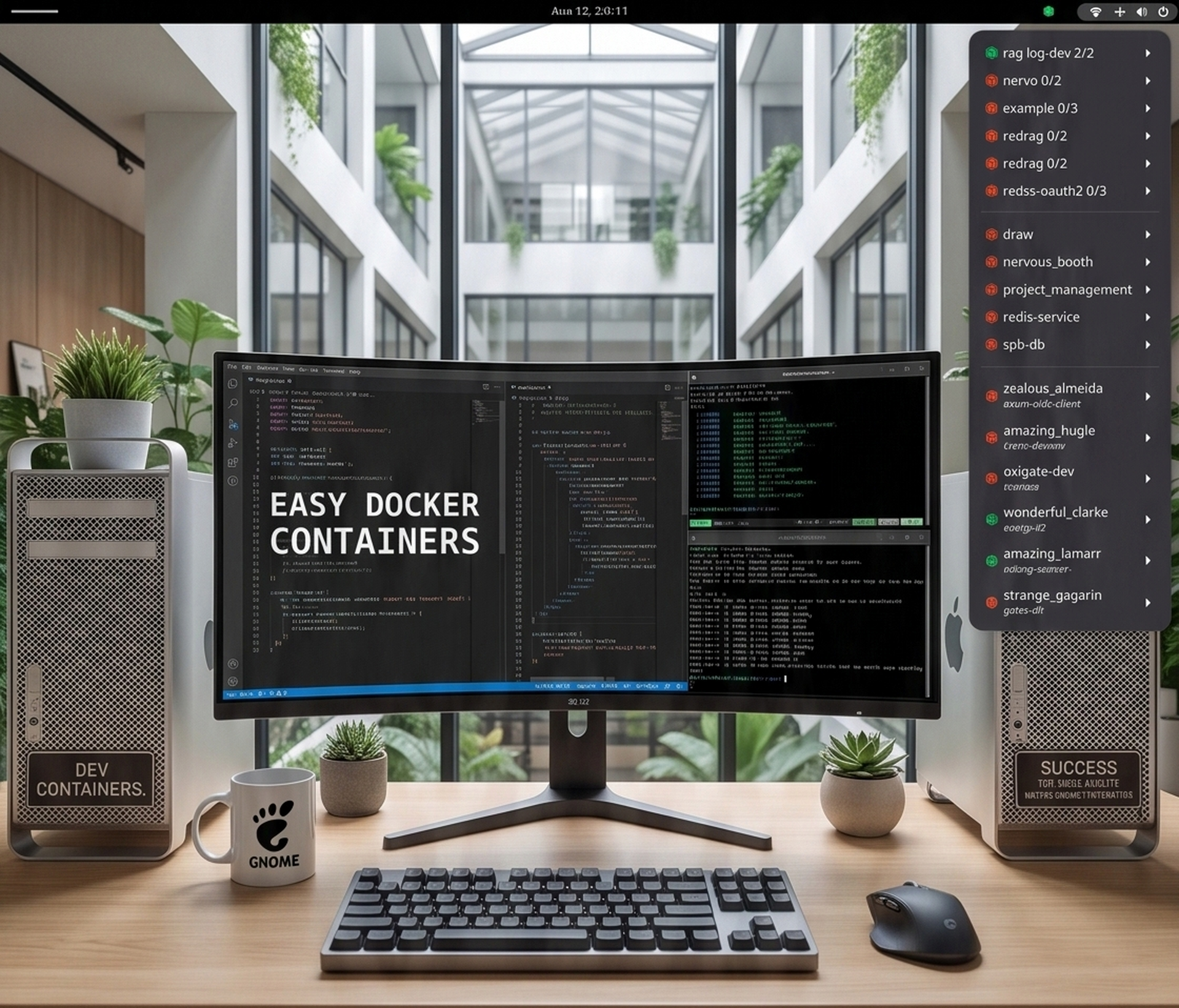
The headline change is Docker Compose grouping. If you run real projects, you know that a single docker compose up can spin up half a dozen containers, and having them scattered across a flat list gets noisy fast. Now the extension collects the services of each compose file under a single menu, marked with its own compose icon and a running-over-total count so you can tell at a glance whether the whole stack is up. From that compose menu you can start, stop, pause, or restart the entire project in one click, and a Services submenu still gives you access to each individual container when you need the finer control. Grouping is on by default because, honestly, once you work this way it’s hard to go back.
Grouping goes a step further than compose, too. The menu is now organized into clear sections divided by separators: your compose projects at the top, then your standalone containers, and finally your Dev Container workspaces. Instead of one long undifferentiated list, related things sit together, and it’s immediately obvious what kind of thing you’re looking at. It’s a small change that makes a busy machine feel a lot calmer. We also constrained the menu height to your monitor’s work area, with scrollbars appearing only when they’re actually needed — so a long list of containers no longer runs off the edge of the screen.
The other big addition is Dev Container support, and this one is close to how we work every day. When a stopped container was created from a Dev Container workspace, the extension now recognizes it, shows the devcontainer name as a subtitle, and surfaces the workspace folder as a clickable item that opens a terminal right there. You can start a devcontainer, or recreate and start it from a fresh image, without leaving the panel. For running devcontainers there’s an Open in IDE action that attaches your editor straight to the container — configurable with your own command, so whether you’re on VS Code, Cursor, or Zed, it fits your setup. It even re-attaches automatically after a recreate, since that’s exactly the moment editors tend to lose their connection. These actions lean on the official devcontainer CLI, so as long as it’s on your PATH, you’re ready to go.
And of course we’ve kept pace with the platform: the extension now supports GNOME 50, right alongside the versions that came before it.
If you’ve been using Easy Docker Containers, I’d love to hear what’s working for you and what you’d like to see next — the best features have always come from that conversation. And if you haven’t tried it yet, it’s a free, open-source install away on extensions.gnome.org.
Here’s to the next 60,000. 🐳